
When people ask me for pc longevity tips, I usually tell them to ignore the flashy parts and focus on the three things that actually kill a machine early: heat, bad power, and cramped storage. If you're buying a family desktop, a home office tower, or a first gaming rig for a kid, the goal is not to win a benchmark screenshot. The goal is to get five years of boring, reliable service with the fewest surprise failures. That means choosing parts that run cool, giving them clean power, and leaving enough room for updates later. Build it once. Build it right.
PC longevity tips for airflow and dust
If you're starting from scratch, the case is where longevity begins. I would take a plain mesh-front case with good fan support over a prettier box with a sealed front panel almost every time. A Fractal Pop Air, Corsair 4000D Airflow, or Montech Air 903 costs roughly $60 to $100 and gives your hardware a better shot at living an easy life. For most family desktops, two intake fans up front and one exhaust fan in the rear is enough. You do not need a wind tunnel, and you definitely do not need six cheap RGB fans moving air in circles.
The reason this matters is simple. Heat ages plastic connectors, dries out thermal paste faster, and makes fans work harder. In my Dell years, the machines that failed early were often the ones packed in a desk cabinet with no breathing room. Keep the tower off carpet, leave a few inches behind it, and clean the dust filters every couple of months. A can of compressed air, used gently, is still one of the cheapest maintenance tools you can buy. If the system stays noticeably quieter after cleaning, that is usually a good sign.
You also want to pay attention to the cooler itself. For a normal office PC or family PC, a good tower air cooler from Thermalright, DeepCool, Noctua, or be quiet! is usually the safer long-term bet than a bargain liquid cooler. Air coolers have fewer failure points. If a fan wears out, you replace a fan. If a pump fails, the whole loop becomes a problem. For a build that needs to stay useful, boring hardware is often the smart hardware.
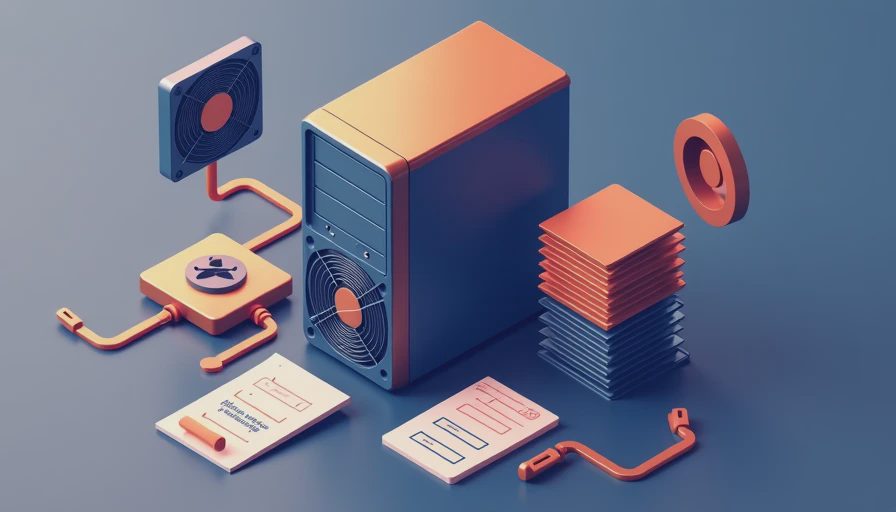
PC longevity tips for storage and clean upgrades
Storage is the other place where a cheap decision can create years of annoyance. Start with a 1TB NVMe SSD if the machine is going to hold Windows, school files, browsers, photos, and a few games. For many households, that lands around $60 to $90 from Samsung, WD, Crucial, or Solidigm. A 500GB drive fills up too fast once Windows updates, game installs, and family photos start piling on. When a drive gets too full, the machine can feel slower even if the processor is still fine.
I like to leave about 20 percent of the drive free whenever possible. That gives Windows room to breathe and makes big updates less painful. If a family has a big photo archive or ripped music library, I would rather add a second SSD or an external backup drive than force everything onto one cramped system drive. A desktop should make it easy to store current work on the fast drive and park old files somewhere else. That simple split cuts down on clutter and makes troubleshooting easier later.
Power matters just as much as storage, and this is where people get tempted to save $30 on the wrong part. A good 80 Plus Gold power supply from Corsair, Seasonic, or be quiet! usually costs about $90 to $160 for a midrange build, and that money is well spent. If the house gets flickery power or summer storms roll through, a basic APC or CyberPower battery backup can be worth every penny. It gives the PC a clean shutdown instead of a hard cut, which is kinder to the SSD and the operating system. I still see too many people plug a $1,200 PC into a bargain strip and call it good.

PC longevity tips for yearly maintenance and replacement
Once the machine is built correctly, maintenance should feel routine, not like a second job. Once or twice a year, blow dust out of the filters, check that every fan still spins smoothly, and look for swollen cables or loose connections. If the PC starts taking longer to wake up, making new fan noise, or throwing random restarts, those are early warning signs worth paying attention to. A quick check of drive health with a free tool like CrystalDiskInfo can tell you a lot before a problem becomes a data loss day.
Software upkeep matters too, but I would not chase every update the second it appears. Install Windows updates, keep chipset and graphics drivers current, and only update the BIOS when the release notes fix something you actually need. That is the enterprise habit I brought home from Dell: change what matters, leave stable systems alone when there is no reason to stir them up. If the computer sits under a desk and the temperatures are reasonable, a fresh repaste every few years is usually enough. You do not need to open the system every month looking for work.
There is also a point where repair stops making sense. If the motherboard is failing, the power supply is old, and the storage is tiny, you can easily sink a few hundred dollars into a tower that still feels dated. At that point, I usually tell families to move the data, keep the good monitor and keyboard, and put the budget toward a clean rebuild with better airflow and a stronger power supply. That is how you stretch value without throwing money at bad parts. If you want a machine that still feels normal five years from now, start with the right case, the right PSU, and a drive big enough to avoid daily frustration. That is the quiet math behind pc longevity tips, and it is the same advice I give my neighbors in Austin when they want a desktop that just works. Build it once. Build it right.