
If you are trying to figure out how to build a pc without turning your weekend into a box of spare screws and regret, start simple. Pick a use case, buy parts that fit together cleanly, and build for the long haul instead of chasing whatever looks fastest on a forum thread. I have spent years inside failed business desktops and tower workstations, and the same lesson kept showing up: the machines that survive are the boring ones with decent airflow, a sensible power supply, and parts that do not fight each other.
For a family desktop, a home office machine, or a first gaming rig for the kids, the goal is not bragging rights. The goal is a computer that boots on the first try, stays quiet, and does not turn into a science project when something needs replacing later. That is the whole point of learning how to build a pc the right way instead of the loud way.
How to build a pc starts with the use case, not the spec sheet
If the machine is for homework, email, video calls, and a little streaming, you do not need to overspend on graphics. A solid midrange processor, 16GB of RAM, and a 1TB SSD will feel fast for years. If the machine is for a kid's first gaming setup, budget for a real graphics card and a power supply that can handle it without sounding like a vacuum cleaner. If it is a home office tower, spend more on reliability than flash. A good case and a quiet cooler matter more than rainbow lighting you will never look at.
This is where people get it backwards. They buy the biggest processor they can justify, then pair it with a flimsy power supply and a tiny SSD that fills up after two game installs. A smarter $900 build often beats a sloppy $1,300 build because every dollar goes to the parts that affect day-to-day use. If you are on a tighter budget, a used GPU from a reputable seller can be a smart move, but I would rather see a new power supply, new storage, and a case with real airflow.
When I help someone plan how to build a pc, I usually tell them to think in layers. The case holds everything, the motherboard connects everything, the power supply keeps everything alive, and the SSD makes everything feel quick. Once those four pieces are right, the rest gets easier.
Pick parts that fit together and do not create headaches later
The safest first build uses parts that are common, boring, and easy to replace. A well-reviewed case from Fractal Design, Corsair, or NZXT can be a fine starting point if it has room for front intake fans and does not choke the graphics card. For power, look at proven lines from Seasonic, Corsair, or EVGA and aim for more wattage headroom than you think you need. A 650-watt unit is plenty for many midrange builds, while stronger gaming rigs often feel better with 750 watts or more.
For storage, skip the old spinning hard drive unless you truly need cheap bulk space. A 1TB NVMe SSD from Samsung, Crucial, Western Digital, or Kingston keeps Windows and your apps responsive. For memory, 16GB is the practical floor for most people, and 32GB is a comfortable choice if the machine will juggle games, browser tabs, and school projects at the same time. If you are buying a motherboard, make sure it has enough USB ports, at least one M.2 slot for the SSD, and Wi-Fi only if you actually need it.
The money mistake I see most often is buying one expensive part and then cheaping out on the parts nobody brags about. A good power supply does not make a benchmark screenshot look fancy, but it is the part that keeps a build from dying early. When in doubt, spend for stability where nobody can see it.
Assembly is mostly about order, patience, and not forcing anything
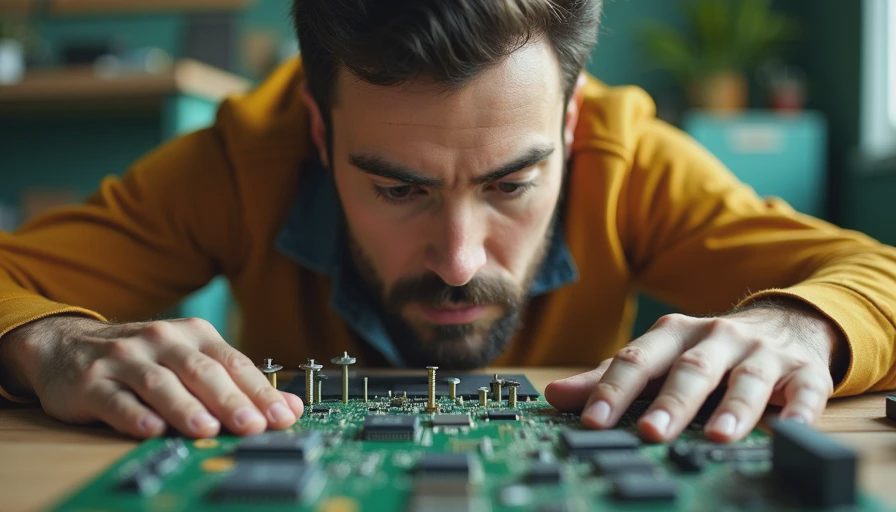
The physical build is not hard, but it rewards calm hands. Start by laying the motherboard on top of its box and installing the CPU, memory, and SSD before the board goes in the case. That keeps the cramped work on the bench instead of inside a steel box with bad angles. Put the cooler on next, checking that the mounting hardware matches the socket. A lot of first-time problems come from assuming a cooler fits because the box looked close enough.
Once the board is mounted on the standoffs, route the front-panel connectors, the 24-pin power cable, and the CPU power cable before the graphics card goes in. Those connectors are annoying enough in open air. They are worse after a heavy GPU blocks your hands. Use the case manual. It is not exciting, but it saves time and broken clips. Before the first boot, do a quick visual check for loose screws, extra standoffs in the wrong place, and fans that can spin freely.
The first startup should be a simple test. If it posts, go into BIOS, confirm the SSD is detected, and turn on the memory profile so the RAM runs at the rated speed. Then update the BIOS if the board vendor recommends it and the system is stable enough to do so. After that, install Windows, load the drivers, and do a short stress test or a long game download just to watch temperatures. If the machine stays cool and quiet, you built it right.
The mistakes that cost real money are usually small and boring
People love to overspend on the wrong thing. They buy a giant cooler for a modest processor, or a case with glass panels and almost no airflow, then wonder why the system runs warm. They buy a 2TB SSD before they have a decent power supply. They forget that a $20 upgrade in one place can save a $200 replacement later. The cheap power supply is the classic trap. It works until it does not, and when it goes, it can take other parts with it.
Another common miss is buying too little storage. Modern games and creative apps get huge fast, and a full drive makes a fast PC feel clumsy. I would rather see a straightforward 1TB or 2TB SSD than a tiny boot drive plus a pile of external clutter. The same goes for the case. If the front panel is sealed up and the fans have to fight for air, you are setting yourself up for noise and heat. Good airflow is not hype. It is how a machine survives long work sessions without acting tired.
A family I would build for the same way every time needs a machine that can take a spilled drink scare, a homework deadline, and a gaming night without drama. That means a sensible case, a real power supply, and parts that can be swapped later without tearing the whole system apart.
What I would tell my own family before they buy parts
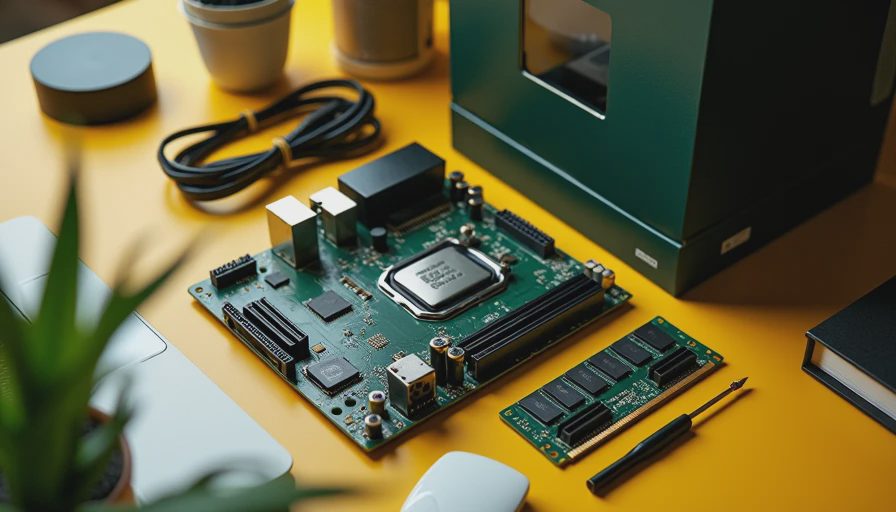
If you only remember one thing about how to build a pc, remember this: buy for the job you actually have, not the machine you wish you had. A family desktop does not need a giant graphics card. A gaming rig does not need a workstation motherboard. A home office PC does not need a showpiece case that makes cable management harder than it should be. Keep the parts list clean, spend where failure would hurt, and leave a little budget for a better SSD or quieter fans if you can.
That is how I would build for my own house, my sons, or a neighbor who wants one solid machine and no drama. If the budget is around $800 to $1,200, there is a lot of room for a durable, fast PC that feels good every day. If you want help, build the parts list first, check compatibility twice, and then assemble with patience. Build it once. Build it right.