
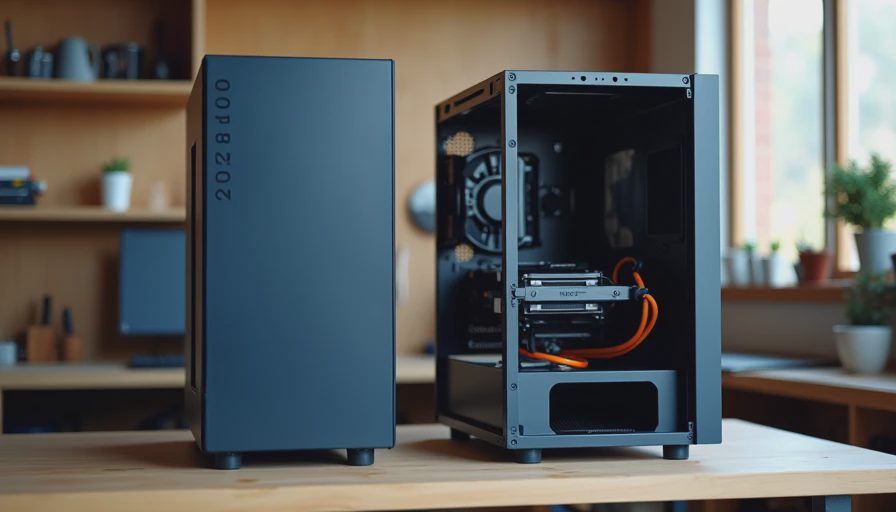
The Experiment Setup
The endless online argument between prebuilt and custom builds rarely includes the same person living with both machines under the same conditions. So I did. I ordered a well-reviewed mid-range prebuilt that fit a realistic family or home-office budget, then built a custom system aimed at the same performance level and price range. Both machines used comparable CPUs, similar memory capacity, and SSDs of the same size. The prebuilt came with its own case, cooler, and power supply; the custom used parts I chose for quiet operation and serviceability.
For one month the two computers sat in the same room, shared the same tasks, and were treated like normal household machines. Schoolwork, browser sessions, video calls, light photo work, and evening games all happened on both. I paid attention to noise, heat, daily responsiveness, ease of maintenance, and the small frustrations that only appear after weeks of real use.
Day-One Experience
The prebuilt won the first afternoon. It arrived ready to go. Unbox, plug in, update, and work. No driver hunts, no BIOS settings to check, no cable-routing time. For someone who simply wants a computer that functions, that convenience is real and valuable.
The custom build took an evening. Assembly was straightforward, but it still required time, a clear workspace, and the willingness to double-check connections. Once finished it felt more intentional—every part was chosen for a reason—but the immediate gratification clearly belonged to the prebuilt.
Noise and Thermal Behavior Over Weeks
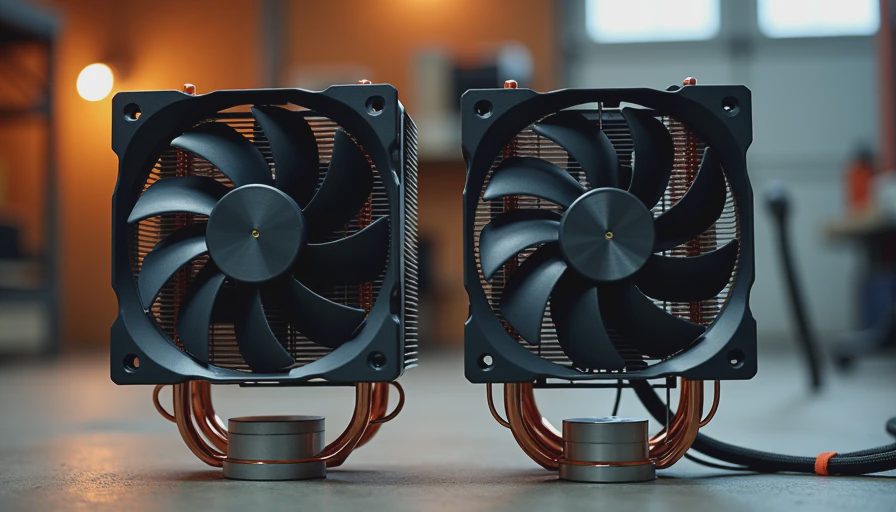
After the first few days the differences became clearer. The prebuilt’s cooler and case fans were tuned for safety and cost more than for silence. Under light office loads it was acceptable; under sustained work or games it became the louder machine in the room. Temperatures stayed safe, yet the fan noise was consistently more noticeable.
The custom system, built with a quieter tower cooler and a case chosen for airflow at low RPM, stayed calmer. At the same workloads it produced less audible noise and lower sustained temperatures. The gap was not dramatic on paper, but it was obvious when both machines were running in the same space. Living with them side-by-side made the quieter custom the one I preferred to sit next to.
Serviceability and Long-Term Ownership
This is where the custom build pulled ahead decisively. When I wanted to clean dust after three weeks, the custom case allowed quick filter access and easy panel removal. The prebuilt required more disassembly and had tighter internal spacing. Upgrading the prebuilt’s storage or adding RAM was possible but less convenient; the custom had been planned for exactly those changes.
The prebuilt’s proprietary elements—power-supply cables, cooler mounting, and some front-panel connectors—made future work feel more constrained. The custom used standard parts throughout. For a machine intended to last five years and possibly receive a mid-life upgrade, that difference compounds.
Reliability and Support Reality
Neither machine failed during the month. Both ran stable. The prebuilt carried a single-vendor warranty that some owners find reassuring. The custom relied on individual component warranties, which is more fragmented but often longer on key parts such as the power supply.
In practice, the kinds of problems I have seen over the years—dust-related heat, aging thermal paste, and power-supply wear—are easier to address on a standard-part custom system. The prebuilt is not unreliable; it is simply harder to service once the original configuration is no longer ideal.
Cost and Value After Thirty Days
On purchase day the prices were close. After a month of living with both, the value calculation shifted. The prebuilt delivered immediate usability and acceptable performance. The custom delivered better daily noise behavior, easier maintenance, and clearer upgrade paths. For a buyer who plans to keep the machine for years and cares about living with it quietly, the custom approach repaid the assembly time.
For a buyer who needs a working computer tomorrow and does not want to open a case, the prebuilt remains a rational choice. The deciding factor is not pure performance—it is how the machine fits the owner’s tolerance for noise, dust, and future work.
What I Recommend Now
If you want the least friction on day one and are comfortable with average noise levels and less flexible servicing, a carefully chosen prebuilt is fine. Look for models with decent reviews on thermals and noise rather than just peak benchmark scores.
If you are willing to spend an evening assembling and want a quieter, more maintainable machine that can evolve with your needs, build it. The parts list does not need to be exotic. Prioritize a quality power supply, a calm cooler, enough RAM, and a case that is easy to clean. Those choices produce a computer that is more pleasant to live with after the first month is over.
Final Garage Observation
The prebuilt was the easier purchase. The custom was the easier machine to own once the novelty of the first week faded. Most of the long-term satisfaction came from noise levels, service access, and the knowledge that any future upgrade would be straightforward.
Performance was close enough that it rarely decided which computer I reached for. Daily comfort and future flexibility did.
Build it once. Build it right. Or buy it ready-made if that truly fits your situation—just go in with clear eyes about what you are trading away.