
If you are shopping for the best budget gaming PC, you probably do not want a spreadsheet full of benchmark numbers. You want a computer that runs Fortnite, Minecraft, Call of Duty, Roblox, or a new Steam game without sounding like a vacuum cleaner five minutes after startup. You also want it to handle homework, video calls, and ordinary family use without becoming unreliable.
That is exactly how I approach a build in my Austin garage. The goal is not the lowest price on a product page. The goal is spending each dollar where it improves the experience, then avoiding the cheap parts that create trouble later. Build it once. Build it right.
Start With the Use Case and Real Budget
For a family gaming desktop, a sensible starting range is $700 to $1,000 for the tower. That usually gives you enough room for a capable processor, 16GB of memory, a solid-state drive, and a graphics card that can play modern games at 1080p resolution. A monitor, keyboard, mouse, and Windows license can add another $150 to $350.
If the computer is mainly for esports games such as Rocket League, Valorant, or Overwatch 2, you can stay closer to $650. Those games generally do not need an expensive graphics card. If the target is demanding single-player gaming at high settings, plan closer to $1,000 or accept lower visual settings.
The best budget gaming PC is not necessarily the one with the largest number on the graphics card box. A balanced $850 computer often feels better than a $700 system with a powerful GPU paired with a weak power supply, a tiny drive, and only 8GB of memory.
Before buying, write down the games, monitor resolution, and expected ownership period. If your child will use the machine for four or five years, paying an extra $75 now for 16GB of memory and a 1TB SSD is usually smarter than replacing cramped parts next year.

The Parts That Deserve Your Money
The graphics card does most of the heavy lifting in gaming, so it deserves the largest single share of the budget. For 1080p play, current mainstream options from AMD or NVIDIA can work well, especially when purchased at a normal retail price rather than during a shortage. A Radeon RX 7600-class card or GeForce RTX 4060-class card is the type of hardware I would compare first, depending on pricing and the games involved.
The processor matters, but budget buyers often overspend here. A modern six-core AMD Ryzen 5 or Intel Core i5 is enough for gaming, schoolwork, browsing, and light editing. You do not need a top-end chip with twelve or sixteen cores to run Minecraft with a few browser tabs open.
Choose 16GB of DDR4 or DDR5 memory in two modules when the motherboard supports it. Two matching sticks allow the system to use dual-channel memory, which is a simple performance improvement. For storage, a 1TB NVMe SSD is the sweet spot. It makes Windows start quickly and leaves room for several large games. A 500GB drive works, but it becomes inconvenient fast.
Do Not Cut Corners on Power and Cooling
The power supply is the part I inspect most carefully because it is easy to hide in a budget listing. A dependable 550W or 650W unit from a recognized line is generally appropriate for a mainstream gaming card. Look for an 80 Plus Bronze or better efficiency rating, but remember that the label does not tell you everything about build quality. The exact model and warranty matter.
I would rather see a $60 to $90 reputable power supply than a mysterious 750W unit included to make the specification sheet look impressive. Wattage is only one part of the job. A poor supply can cause crashes, noise, or expensive component damage.
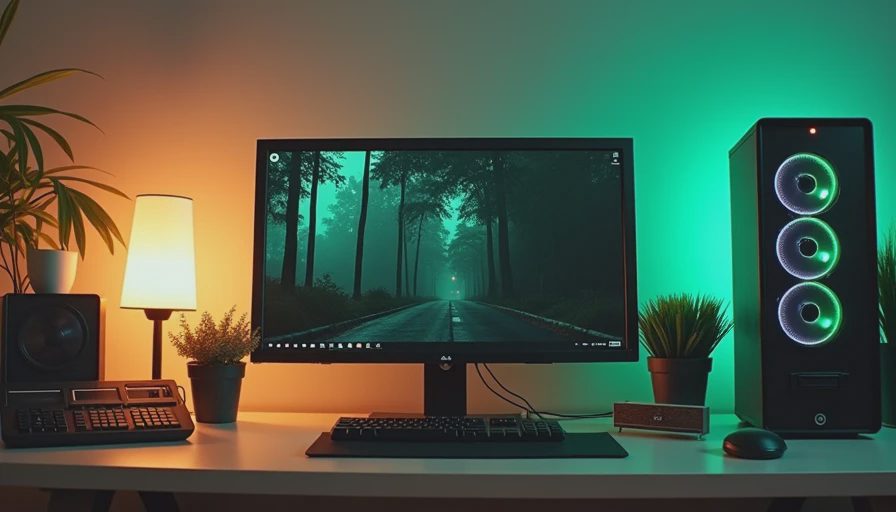
Cooling does not need to be dramatic. A basic tower cooler or the stock cooler included with some processors is fine for many moderate builds. What matters is airflow. Use a case with a mesh front or large ventilation openings, at least one intake fan, and one exhaust fan. A case packed with glass and decorative lighting but no airflow is a bad bargain in an Austin summer.
The best budget gaming PC should be quiet enough for a family room. If the fans constantly run at full speed, that is usually a sign of restricted airflow, a dusty filter, or an undersized cooler.
Prebuilt or Custom Build?
A prebuilt desktop can be the right choice when you need a working computer this weekend or do not want to troubleshoot assembly. Brands such as Lenovo Legion, HP Omen, Acer Nitro, and Dell offer gaming desktops at different price points. Compare the complete parts list, not just the processor and graphics card. Some systems use proprietary cases or power connectors, which can make later upgrades less convenient.
A custom build gives you better control over the power supply, motherboard, cooling, and storage. It also teaches useful maintenance skills. The risk is choosing mismatched parts or rushing the installation. PCPartPicker can help check basic compatibility, but it cannot judge whether a particular power supply is a wise long-term choice.
For a first build, I recommend buying from normal retailers with clear return policies. Save every receipt, photograph the serial numbers, and test the computer during the return window. Run a game, check temperatures, confirm every USB port, and listen for unusual fan or drive noise.
A Practical Buying Checklist
Start by confirming that the motherboard supports the processor out of the box. A technically compatible processor can still require a BIOS update before the computer will start. Next, verify that the graphics card fits the case length and that the power supply includes the required connector. Many frustrating first builds fail because one cable is missing or routed incorrectly.
Install the memory firmly until both latches click. Connect the monitor to the graphics card rather than the motherboard when a dedicated graphics card is installed. Update the motherboard firmware only when needed, then install the graphics driver directly from AMD, NVIDIA, or Intel.
After Windows setup, remove unwanted trial software, create a restore point, and check that the SSD has reasonable free space. Keep at least 15 percent of the drive available so updates and temporary files do not turn a healthy computer into a sluggish one.
For upgrades, add storage before replacing the processor. Move to 32GB of memory if the system handles heavy multitasking or modded games. Replace the graphics card only after checking power requirements and case clearance. These small checks prevent a $400 upgrade from becoming a $700 chain reaction.
What I Would Buy for a Family Room
If I were building the best budget gaming PC for a family today, I would target an $850 tower with a six-core processor, 16GB of memory, a 1TB NVMe SSD, a mainstream 1080p graphics card, and a reputable 650W power supply. I would choose a plain airflow-focused case, skip RGB accessories, and spend the savings on a better monitor or a longer warranty.
That machine would not be a high-end 4K system, and it should not pretend to be one. It would be a dependable desktop for schoolwork, streaming, multiplayer games, and everyday household tasks. More importantly, each major component would be understandable and replaceable.
Shopping this way takes a little longer than clicking the first flashy deal, but it protects the money you are spending. Compare the full parts list, read the warranty terms, and pay attention to the power supply and airflow. The best budget gaming PC is the one that still boots cleanly years after the excitement of unboxing has faded.