
If you are searching for a custom pc builder, you probably do not want a pile of parts and a crash course in computer engineering. You want a dependable desktop for work, homework, photo storage, or gaming that starts every morning and does not become a repair project next summer. That is the standard I use at my garage workbench in Austin: build it once, build it right.
I spent eight years working through Dell OptiPlex and PowerEdge failures, and those machines taught me a useful lesson. The most expensive part is not always the part that determines reliability. A sensible power supply, good airflow, enough memory, and a clean Windows installation often matter more than an extra 8 percent in benchmark performance.
Start With the Job, Not the Parts List
A custom pc builder should begin with what the computer needs to do. If you are building a PC your kids will use for homework, web research, and a few games, a midrange processor with 16GB of memory and a solid-state drive is usually enough. Spending $2,000 on a graphics card will not make Google Docs open more responsibly.
For a home office, I would prioritize a quiet case, reliable Wi-Fi, two monitor outputs, and a 1TB NVMe solid-state drive. That drive is the fast storage inside the computer; it makes Windows and applications feel quick without adding moving parts. A family desktop in this category commonly lands around $700 to $1,100 before the monitor and accessories.
A first gaming PC needs a different balance. The graphics card does most of the work in modern games, but it still needs a capable processor, 16GB or 32GB of memory, and a power supply with room for normal upgrades. A realistic entry-level gaming build often costs $900 to $1,400. That is enough for 1080p gaming without paying for hardware you will never notice.
Where the Budget Should Go
The best custom pc builder decisions are usually boring ones. I would rather install a well-reviewed 650-watt power supply from Corsair, Seasonic, be quiet!, or another established manufacturer than save $40 on an anonymous unit. The power supply converts household electricity into power the components can use. When it fails, it can take other parts with it, so this is a poor place to gamble.
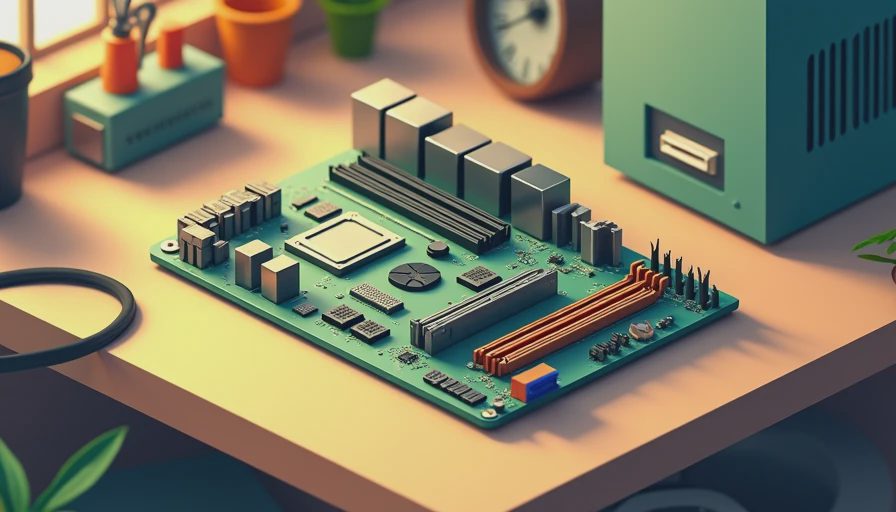
The motherboard also deserves practical attention. You do not need the largest board with glowing heatsinks, but you do need the right socket, enough USB ports, two or more memory slots, and a sensible upgrade path. Brands such as ASUS, MSI, Gigabyte, and ASRock offer useful boards at several price levels. I look at the rear ports first. A beautiful board that cannot connect your printer, headset, and monitors is not a good deal.
For storage, a 1TB drive is a comfortable starting point for most families. If the computer will hold years of phone pictures, video, and games, choose 2TB or add a separate backup drive. A backup is not the same as extra storage. If the only copy of your family photos is inside the computer, one failed drive can turn a cheap build into an expensive recovery job.
Cooling and Case Design Are Not Decorations
A case is not just a box that hides cables. It controls how easily fresh air reaches the processor and graphics card, how much dust gets trapped, and whether you can replace a component without removing half the machine. I favor cases from Fractal Design, Corsair, NZXT, and Cooler Master with a mesh front and room for at least two intake fans.
If you are building a PC for a quiet office, a large air cooler is often a better choice than an inexpensive liquid cooler. Air coolers have fewer failure points, and a good tower cooler can handle many mainstream processors without drama. Liquid cooling has a place in higher-power systems, but it is not an automatic upgrade for a family desktop.
This is where my former enterprise support work still influences me. I want cables routed away from fans, memory fully seated, and temperatures checked under a sustained workload before the machine leaves the bench. Ten minutes of inspection can prevent months of random freezes.
Parts Compatibility Without the Guesswork
A custom pc builder should verify compatibility before ordering anything. The processor must match the motherboard socket. The memory type must match the board. The graphics card must fit inside the case, including its thickness and power connectors. The power supply must provide the recommended connectors and sufficient capacity.
PCPartPicker is useful for catching obvious conflicts, but it is not a substitute for judgment. A listed combination can still have poor airflow, an awkward cable layout, or a motherboard that needs a firmware update before it recognizes the processor. I read the motherboard manual, check the case dimensions, and confirm the power supply model rather than trusting a product title.
If you are uncomfortable with those checks, a local custom pc builder can save more than the labor charge by preventing a wrong purchase. A $75 consultation is cheaper than returning a case, buying replacement memory, and waiting another week to finish the system.

Windows Setup and the First-Day Test
The build is not finished when the fans spin. Install Windows from a current Microsoft installation drive, apply motherboard and graphics drivers, and remove unnecessary trial software. Create a normal user account instead of doing every daily task from an administrator account. That small habit improves security and reduces accidental system changes.
I also run Windows Update, check Device Manager for missing drivers, and confirm that sleep, Wi-Fi, audio, Bluetooth, and every display output work. Then I copy a test folder, run a game or demanding application, and watch temperatures. A computer that works on the workbench should still work after several hours of ordinary use.
Do not skip activation records and documentation. Save the serial numbers, receipts, motherboard manual, and power supply warranty information in a folder. Five years from now, those details are much more useful than remembering which online video recommended the parts.
When Buying Prebuilt Makes More Sense
Building is not always the right answer. If you need a computer tomorrow, want one company responsible for support, or do not enjoy troubleshooting, a prebuilt from Dell, Lenovo, HP, or a reputable boutique builder can be sensible. Compare the exact components instead of judging only the processor name. Some inexpensive systems use restricted cases, weak power supplies, or single-channel memory that limits performance.
A custom pc builder earns the price when your needs are specific: quiet operation, extra storage, a particular graphics card, multiple monitors, or a clean upgrade path. It also makes sense when you want to understand what is inside the machine and replace one part instead of replacing the entire computer later.
The goal is not to win an argument on a parts forum. It is to have a computer that fits the room, the budget, and the family schedule. If you need help turning that goal into a sensible parts list, talk with a custom pc builder who explains the tradeoffs in plain English. Build it once. Build it right.