
A quiet home office pc should disappear into the room. You should hear your keyboard, the air conditioner, or the occasional notification, not a small fan struggling behind your monitor. After years working on Dell OptiPlex and Precision systems, I have learned that silence comes from sensible parts and good airflow, not from a premium logo pasted on the case. The right quiet home office pc can handle email, spreadsheets, video meetings, research, and light creative work for years without becoming a desk-side distraction.
Start with the work, not the parts list
If you are building a PC for email, Microsoft Office, QuickBooks, browser tabs, and Zoom, you do not need a gaming graphics card. A modern six-core processor with integrated graphics is usually enough. AMD Ryzen 5 and Intel Core 5 systems are both sensible choices when matched with 16GB of memory and a solid-state drive. The important detail is choosing a processor that can run your displays without a separate graphics card, because removing that card eliminates heat, noise, cost, and another component that can fail.
For a family office, I would start with 16GB of RAM and a 1TB NVMe SSD. That combination gives Windows room to breathe and enough storage for documents, photos, tax files, and common applications. If you work with large spreadsheets, edit photographs, or keep dozens of browser tabs open, 32GB is a reasonable upgrade. It is usually better to buy dependable memory and storage than to spend an extra $300 chasing a processor speed difference you will rarely notice.
The same thinking applies to prebuilt machines. Lenovo ThinkCentre, Dell OptiPlex, and HP ProDesk desktops can be excellent quiet home office pc foundations when they include current-generation components, standard warranties, and enough room for future storage. Older refurbished units can be good bargains, but inspect the warranty, SSD health, power supply condition, and Windows license before buying.
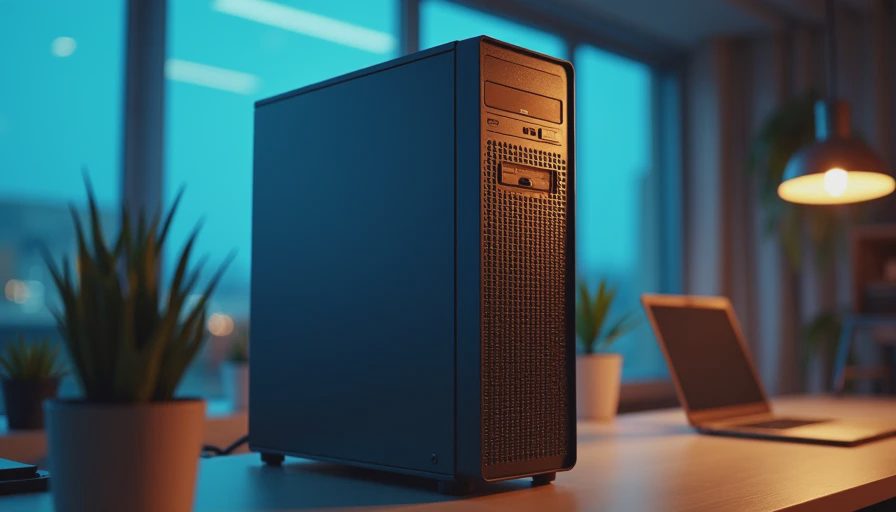
The parts that actually control noise
Fans are not automatically bad. A large, slow-turning 120mm or 140mm fan usually moves air more quietly than a tiny fan spinning hard. Look for a case with a solid front panel or a filtered mesh front, rubber-mounted fans, and room for a conventional tower cooler. A $70 to $110 case from Fractal Design, be quiet!, or Corsair can make a bigger difference than a $250 processor upgrade.
The CPU cooler matters because the stock cooler included with some processors is designed to meet a price target, not to create a peaceful office. A basic tower cooler from Thermalright, Cooler Master, or be quiet! often costs $25 to $60 and keeps temperatures under control at lower fan speeds. Install it carefully, use a modest amount of thermal paste, and make sure the fan points toward the rear exhaust fan. Poor cooler installation creates noise that people often blame on the processor.
For a quiet home office pc, choose a reputable power supply with an 80 Plus Bronze or Gold rating, adequate wattage, and a quiet fan profile. A 450W to 650W unit from Seasonic, Corsair, be quiet!, or Super Flower is plenty for an integrated-graphics office system. Do not buy a no-name 750W supply simply because the number looks impressive. The power supply is not the place to save $40.
A practical configuration for most households
Here is the kind of quiet home office pc I would build for a homeowner who wants five dependable years rather than a benchmark trophy. Use a current AMD Ryzen 5 or Intel Core 5 processor with integrated graphics, 16GB or 32GB of DDR5 memory, and a 1TB NVMe SSD. Put those parts in a compact airflow case with two quality 120mm fans. Add Wi-Fi 6 or a wired Ethernet connection, depending on where the desk sits, and connect two 24-inch or 27-inch monitors if your work benefits from side-by-side documents.
That system commonly lands around $650 to $950 for the tower, depending on sales, Windows licensing, and whether you build it yourself. A reliable prebuilt may cost more, but the extra price can include assembly, support, and a warranty. If you are uncomfortable troubleshooting a failed boot or loose cable, paying for assembly is not wasteful. My own rule is simple: saving $100 is not a bargain if the computer sits unfinished on the dining-room table for three weeks.
Avoid adding a discrete graphics card unless you need gaming, 3D work, or specialized video software. Even an efficient card adds heat and another fan curve. For light gaming, a system with a modest Radeon or GeForce card can still be quiet, but choose a model with a large cooler and a semi-passive fan mode rather than the smallest budget card available.
Setup choices make a quiet PC quieter
Placement changes the result. Leave several inches around the rear and top of the case, keep it off thick carpet, and do not trap it inside a closed cabinet. Dust filters need cleaning every few months, especially in a garage office, pet-friendly home, or room with construction nearby. A can of compressed air and a small vacuum used carefully around the case can prevent fans from working harder than necessary.
In the motherboard firmware, use a quiet or standard fan curve instead of setting every fan to maximum. Windows power settings can also help. Balanced mode lets the processor reduce speed when you are reading an article or reviewing a spreadsheet, while still responding quickly when a video call starts. Keep the computer away from the microphone if possible, and use a wired headset or a USB microphone with noise reduction for better meetings.
A quiet home office pc should also be protected from avoidable electrical problems. Use a quality surge protector, and consider a small uninterruptible power supply if your neighborhood experiences frequent outages. A UPS gives you time to save work and shut down cleanly; it is not a substitute for backups. Keep important files in a cloud service or on a separate backup drive.
Common mistakes I would skip
The first mistake is buying the cheapest case and assuming you can fix the noise later. Thin panels, restrictive vents, and low-quality fans often cost more to replace than choosing a decent enclosure from the start. The second is buying 64GB of memory for ordinary office tasks while settling for a weak power supply. Capacity matters, but balance matters more.
The third mistake is chasing an expensive processor for work that is mostly browser-based. A $400 CPU does not make email feel four times faster. Spend that money on a better chair, a second monitor, a larger SSD, or professional assembly. Finally, do not confuse silence with undercooling. A fanless computer can become hot and unstable; controlled airflow is safer than eliminating every moving part.
My five-year buying checklist
Before ordering a quiet home office pc, confirm that the processor includes integrated graphics if you do not need gaming performance. Confirm 16GB of RAM at minimum, a 1TB SSD for a typical family system, and a power supply from a known manufacturer. Check that the case accepts standard replacement fans and that the motherboard has the ports you need for monitors, networking, printers, and storage.
Then price the complete system, including Windows, Wi-Fi, a monitor, and assembly if required. Read the warranty terms rather than assuming every prebuilt offers on-site service. Once it arrives, update firmware, install drivers from the manufacturer, create a recovery drive, and set up automatic backups. These steps take an afternoon and prevent many frustrating years later.
My recommendation is not the loudest or fastest machine in the store. It is the balanced quiet home office pc that starts every morning, stays cool during a two-hour video meeting, and remains easy to repair when a fan eventually wears out. Build it once. Build it right.