
If you are building a family desktop, home office computer, or first gaming rig, a mid tower pc case is usually the safest place to start. It gives you more room than a compact case without becoming a giant piece of furniture beside your desk. After years of working on Dell OptiPlex and PowerEdge systems, I have learned that the case is not decoration. It controls cooling, assembly access, noise, dust, and whether your next upgrade becomes a simple Saturday project or a frustrating afternoon.
A sensible case does not need glass panels, twelve glowing fans, or a price tag over $200. It needs a layout that makes sense, enough clearance for your components, and front-to-back airflow that does not fight the laws of thermodynamics. Build it once. Build it right.
Why a mid tower pc case fits most home builds
For a normal ATX or Micro-ATX build, this size offers a useful middle ground. A full tower can hold multiple large graphics cards, custom water-cooling loops, and several storage drives, but most families never need that much space. A small-form-factor case saves desk room, yet it often requires shorter graphics cards, specialized power supplies, and more careful cable routing.
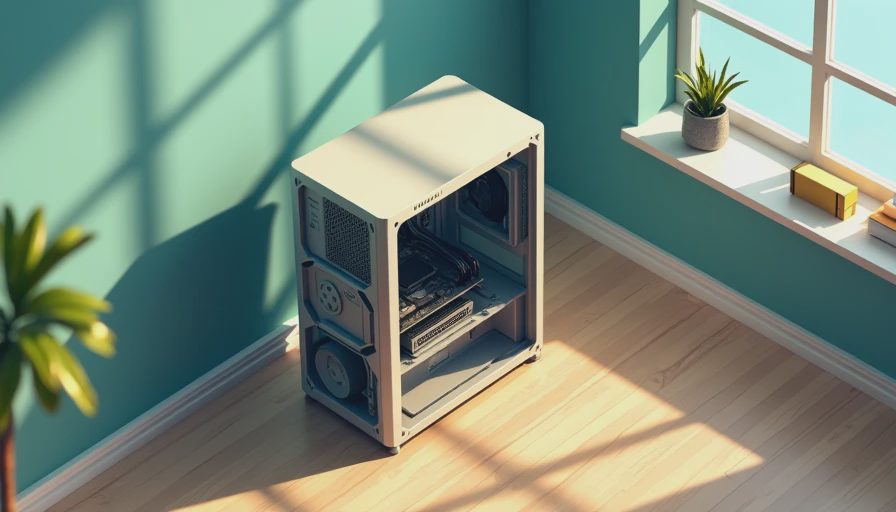
A mid tower pc case usually accepts a standard ATX power supply, a full-size graphics card, several 2.5-inch solid-state drives, and at least one or two large hard drives. That flexibility matters if the computer begins as a homework machine and later becomes a gaming PC. You can add memory, replace the graphics card, or install a better CPU cooler without rebuilding the entire system.
Look at the actual dimensions before ordering. “Mid tower” is not a strict universal measurement. One model might be 17 inches tall while another approaches 21 inches. Measure the space under your desk, including room for cables behind the computer and clearance above the top vents.
Airflow matters more than appearance
If you are building a PC your kids will use for homework and games, buy the case with airflow in mind before choosing the color. A solid front panel with narrow side vents can look clean but restrict intake air. A mesh front panel generally lets the front fans pull cooler room air across the processor and graphics card.
The basic arrangement is simple: front or bottom fans bring air in, while rear or top fans push warm air out. You do not need six fans to make this work. Two quality 120mm or 140mm intake fans and one rear exhaust fan are enough for many mainstream systems. Larger 140mm fans can move useful air at lower speeds, which often means less noise during everyday work.
Dust filters are valuable in a garage, home office, or household with pets. They will not make the computer dustproof, but they slow the buildup that coats heatsinks and causes temperatures to rise. I prefer removable filters that can be rinsed and dried rather than thin screens that require disassembling half the case.

Do not confuse a case full of fans with a well-designed case. If every fan is pushing air in, hot air has nowhere efficient to leave. If the front is blocked, powerful fans mostly create noise. Good airflow is a path, not a fan-count contest.
Check clearance before buying parts
The most common case mistake I see is buying parts separately and discovering that they do not physically fit. Graphics cards have grown longer and thicker, and some models occupy three expansion slots. CPU air coolers can also be surprisingly tall. The product page for the case should list maximum GPU length and maximum CPU cooler height.
Compare those numbers with the exact parts on your list. Leave a little margin instead of matching the maximum clearance exactly. A graphics card listed at 335mm may technically fit in a case with 340mm of space, but a front radiator, drive cage, or power cable can remove that usable room.
If you are using a liquid cooler, verify radiator support separately. “Supports 360mm” does not always mean it fits in every position with tall memory modules installed. For a reliable family computer, I usually recommend a quality tower air cooler instead. It has fewer pump-related concerns, is easier to replace, and performs well in a practical $900 to $1,800 build.
Cable management is a reliability feature
A clean interior is not just for photographs. Loose cables can touch fans, block airflow, or make future maintenance unpleasant. Choose a mid tower pc case with at least 20mm of space behind the motherboard tray. That gives the thick main power cable somewhere to go without forcing the side panel closed.
Rubber routing holes are helpful, but they are not essential. More important are strong cable tie points, a removable side panel, and a power-supply shroud that hides unused cables. Cases from Fractal Design, Corsair, be quiet!, and Cooler Master commonly offer practical layouts at retail prices from roughly $70 to $150. The specific model matters more than the logo, so inspect the internal diagram before purchasing.
A hinged or tool-free side panel is convenient, especially when a family member will help with upgrades. Tempered glass looks attractive, but it adds weight and can break if placed on a hard floor. A steel side panel is perfectly fine for a computer whose job is to work quietly under a desk.
Features worth paying for
Spend extra on features that improve ownership rather than features that impress visitors. A removable front filter, accessible top filter, and included rear fan are worthwhile. USB-C on the front panel is useful if you regularly connect modern phones, external drives, or cameras. Confirm that your motherboard includes the internal connector needed to use it.
Drive support depends on your plan. Most new builds rely on M.2 solid-state storage mounted directly to the motherboard, but a pair of 2.5-inch mounts remains useful for adding inexpensive SATA SSDs later. If you plan to store family photos, video, or backups locally, confirm that the case has room for 3.5-inch hard drives and that the drive cage does not block the graphics card.
Front audio ports should be positioned where you can reach them. A case with power buttons on the top may be convenient beside a desk, but it can be a poor choice if children or pets can press them accidentally. These details sound minor until you live with the machine every day.
A practical buying process
Start with the motherboard size, graphics card length, CPU cooler height, and power supply length. Put those four measurements in a note before opening a store page. Then check airflow reviews or photographs of the front panel instead of judging only by appearance.
Next, decide where the computer will sit. For a carpeted floor, a raised position and a bottom dust filter are useful. For a desk, check top-panel clearance before choosing a case with top-mounted fans or a radiator. In a warm room, prioritize mesh airflow. In a bedroom or shared office, prioritize fan quality and a solid side panel.
Finally, read the installation manual if one is available online. A good manual reveals whether the motherboard tray has a CPU cooler cutout, whether the fans use standard connectors, and whether the included hardware supports your board. Ten minutes of checking can prevent a return, a missing bracket, or a build that cannot be serviced easily.
My straightforward recommendation
For most first-time builders, choose a mid tower pc case with a mesh front, two included fans, removable dust filters, standard ATX power-supply support, and at least 20mm of rear cable space. You do not need built-in lighting or an elaborate glass showcase. A dependable model in the $80 to $130 range will usually provide the access and cooling needed for a mainstream work or gaming system.
The right case should disappear into the background after the build is finished. It should start every morning, stay cool during a long game, and open easily when you add storage two years from now. That is the standard I use on my own bench in Austin, and it is the advice I give families spending their hard-earned money on a computer. Choose carefully, leave room for maintenance, and build it once. Build it right.