
If you are building a family desktop, home office computer, or first gaming rig, the atx motherboard is usually the safest place to start. It is the standard full-size board used in many mid-tower cases, and it gives you room for memory, storage, expansion cards, and sensible upgrades. You do not need to understand every specification on the box. You need a board that fits the case, supports the processor, and will not become a bottleneck two years from now.
I have watched plenty of otherwise good builds go sideways because someone saved $30 on the motherboard and discovered that the board had weak power delivery, poor cooling, or no practical room for another drive. The motherboard is not the part that makes a benchmark chart look impressive. It is the foundation that determines whether the rest of the computer works together reliably.
What an ATX motherboard actually does
An atx motherboard connects the processor, memory, graphics card, storage, power supply, USB devices, and cooling fans. Think of it as the road system inside the computer. The processor is the engine, but the motherboard provides the lanes, intersections, and electrical controls that let every part communicate.
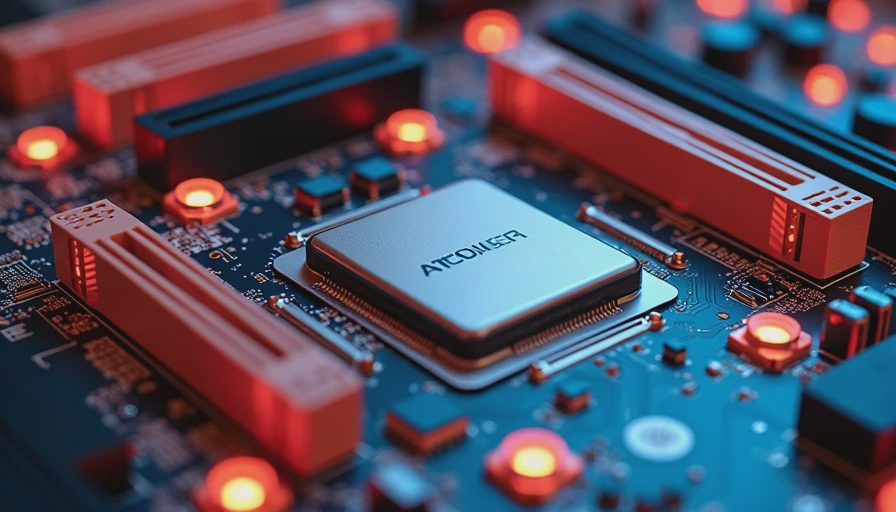
The ATX size is larger than Micro ATX and Mini-ITX. That extra space typically means four memory slots instead of two, more PCIe expansion slots, additional M.2 storage sockets, and room for stronger voltage-regulation hardware. Voltage regulation is the circuitry that delivers clean, controlled power to the processor. Better regulation generally means fewer thermal surprises when the system is under sustained load.
For a basic family PC, this does not mean you need a $400 board. A reliable model in the $130 to $220 range is usually enough for an everyday processor, 32GB of memory, one or two SSDs, and a midrange graphics card. Spending more should buy a feature you will use, not decorative heatsinks or a long list of gaming slogans.
Match the board to the processor first
The most important compatibility question is the CPU socket. Current desktop processors use specific sockets, and a board made for one socket cannot accept a processor designed for another. Chipset support matters too because two boards with the same socket can offer different memory speeds, USB options, storage connections, and overclocking features.
If you are choosing a current AMD Ryzen processor, look at compatible AM5 boards and confirm the exact BIOS support before ordering. For a recent Intel Core build, verify the socket generation and chipset rather than trusting a product title that simply says “gaming motherboard.” Retail listings can remain online for years, while processor generations move on.
A practical buying habit is to choose the CPU first, then use a compatibility filter at a retailer or PCPartPicker. After that, visit the board manufacturer’s support page and check the CPU support list. It takes five minutes and can prevent the classic first-boot problem where the fans spin but the screen stays black.
Features that matter after the socket
When I evaluate an atx motherboard, I look at the features that affect daily ownership. Four DIMM slots are useful because you can start with two memory modules and add more later. Two or three M.2 slots let you add fast solid-state storage without routing extra SATA cables through the case. At least one USB-C connection on the rear panel is helpful for newer phones, docks, and external drives.
Pay attention to the rear input and output panel. A board with built-in Wi-Fi can save $30 to $60 on an adapter, but only buy that version if your computer will use wireless networking. If the computer sits beside the router, wired Ethernet is usually simpler and more consistent. Video outputs on the motherboard only work when the processor includes integrated graphics, so do not assume an HDMI port will help a processor that requires a separate graphics card.
Audio hardware is rarely the deciding factor for a normal family build. A basic codec is adequate for speakers, video calls, and headphones. Put the money toward a dependable power supply or a larger SSD before paying extra for elaborate audio branding.
Power delivery and cooling without the hype
Power delivery deserves attention, especially if you are installing a higher-end processor. Look for a board with a heatsink over the voltage-regulation area and a published specification that does not hide behind vague language. Reviews from established hardware testing sites can reveal whether a board runs hot under sustained workloads such as video encoding.
For a six-core or eight-core processor running office work, school software, light editing, and occasional gaming, a midrange board from ASUS, Gigabyte, MSI, or ASRock is generally sufficient. Brand loyalty is not useful here. Each company makes excellent models and forgettable ones. Judge the specific board, its warranty terms, rear ports, BIOS reputation, and return policy.
You also need enough fan headers. A typical mid-tower system may use two front intake fans, one rear exhaust fan, and a CPU cooler. Four or more usable headers make installation cleaner and reduce the need for splitter cables. That is a small detail, but small details are what keep a computer quiet and easy to service.
Case fit, memory, and future upgrades
An atx motherboard requires a case that supports full-size ATX boards. Most mid-tower cases do, but compact cases often accept only Micro ATX or Mini-ITX. Confirm the specification before buying. The board also needs matching standoffs in the case; never install it directly against the metal panel.
Memory compatibility is straightforward when you stay within the manufacturer’s recommended list and choose a matched kit. For a new general-purpose build, 32GB is a comfortable target. Two 16GB modules leave two slots open on most full-size boards. For a very basic office computer, 16GB can work, but buying a 32GB kit often costs little more and gives the system breathing room for browsers, video calls, and family accounts.
Plan storage before the build begins. A 1TB NVMe SSD is a sensible starting point for Windows, applications, documents, and several games. If the family stores large video files or photos locally, choose a board with a second M.2 slot or add a dependable SATA SSD later.
My practical buying checklist
Before placing the order, confirm five things. The processor socket and chipset must match. The case must support the board’s ATX dimensions. The memory kit must be compatible with the board. The power supply must provide the connectors required by the processor and graphics card. Finally, the rear ports must cover your real devices, not imaginary upgrades.
I would rather see a buyer choose a $165 board with four memory slots, two M.2 sockets, Wi-Fi when needed, and a clear support page than a $300 board covered in lighting. For a family computer, that approach leaves money for a quality 650-watt power supply, a quieter CPU cooler, or a larger SSD. Those purchases improve ownership more than an extra logo on the heatsink.
When a smaller board makes more sense
An atx motherboard is not automatically the right answer. If you are building a small office PC for a narrow desk, Micro ATX may provide everything you need in a shorter case. Mini-ITX is useful when space is the priority, although compact builds can cost more and require careful cooling planning.
Choose full-size ATX when you want straightforward assembly, multiple storage options, extra expansion room, or a graphics card that needs generous spacing. Choose smaller only when the case size is genuinely important. Do not buy a compact board simply because it looks efficient, then discover that upgrades require replacing half the system.
The best board is the one that supports your processor, fits your case, provides the connections you will use, and has enough capacity for the next upgrade. Buy from a retailer with a reasonable return window, update the BIOS only when there is a clear reason, and route the cables so future service is painless. Build it once. Build it right.