
If you are choosing an aio cpu cooler for a family desktop, home office machine, or first gaming PC, start with the workload rather than the lighting. An all-in-one liquid cooler can keep a hot processor under control, but it also adds a pump, tubing, radiator, and more installation points than a conventional air cooler. That does not make it a bad part. It means you should buy one because your computer needs it, not because the product box looks like a race car.
I have worked on enough Dell thermal incidents to be suspicious of unnecessary complexity. A well-sized air cooler is often the quieter, cheaper, longer-lived answer for a basic desktop. For a high-end processor rendering video, compiling software, or driving games for hours, an aio cpu cooler can be a sensible upgrade. The goal is a machine that still boots cleanly five years from now. Build it once. Build it right.
What an AIO cooler actually does
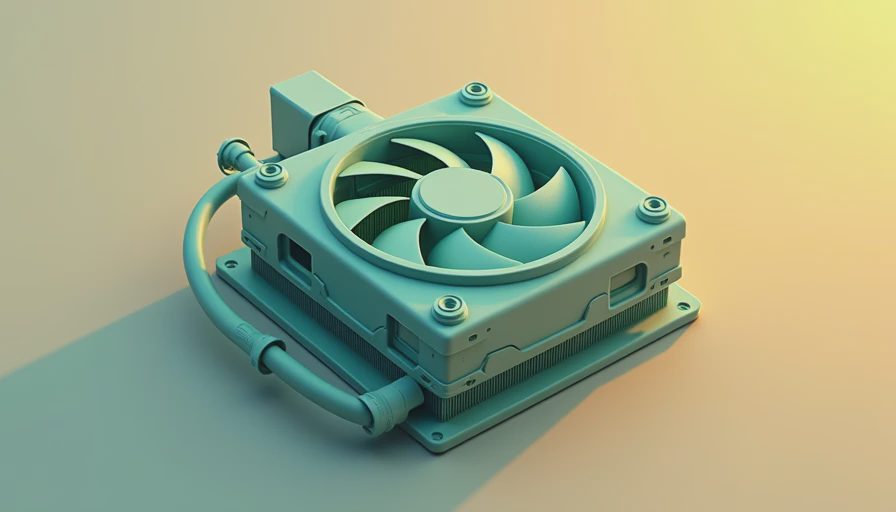
An AIO, or all-in-one liquid cooler, moves heat away from the processor through a copper cold plate. A small pump circulates coolant through sealed tubes to a radiator. Fans pull room air across that radiator, carrying heat out of the case. You do not pour coolant into the unit, and you normally cannot service the sealed loop.
That design gives the processor more cooling surface than a small stock heatsink. It also moves the main fin stack away from the CPU socket, which can improve clearance around tall memory modules. A 240-millimeter model, such as the Arctic Liquid Freezer III 240 or Corsair H100i series, is a common fit for mainstream gaming systems. A 360-millimeter radiator has more fan area, but it needs a case with enough front or top mounting space.
The tradeoff is straightforward: an aio cpu cooler has a pump that can eventually wear out. Fans can be replaced cheaply; a failed pump generally means replacing the cooler. A leak is uncommon with a reputable, properly installed product, but the consequence is serious enough that I do not hide the risk from a buyer.
When liquid cooling is worth the money
If you are building a PC for office work, web browsing, school assignments, QuickBooks, and streaming, spend the extra $70 to $120 on more storage or memory instead. A $35 to $60 tower air cooler can handle many efficient processors without drama. It has no pump and usually produces fewer failure points.
If you are building a gaming PC around a high-power desktop CPU, the answer changes. Long gaming sessions, video exports, 3D work, and heavy multitasking can keep a processor loaded for extended periods. In that situation, an aio cpu cooler can hold lower temperatures without placing a large, heavy tower over the motherboard. The benefit is not automatically more frames per second. It is sustained boost behavior, fan control, and less heat buildup inside a compact case.
Budget honestly. A dependable 240-millimeter unit often lands around $80 to $140 on sale, while premium 280- or 360-millimeter models can reach $180 or more. That money buys appearance and capacity as well as cooling. If your processor does not produce enough heat to use that capacity, you are paying for unused headroom.
Picking the right size and placement
A 120-millimeter radiator is rarely my first recommendation for a modern high-performance desktop. Its single fan has limited surface area, and it can become loud when the processor is working. Choose 240 millimeters for most performance builds. Consider 280 millimeters when the case supports it and you want lower fan speed. Choose 360 millimeters only when the CPU and case justify the extra size.
Before buying an aio cpu cooler, open the case manufacturer's specifications and verify radiator thickness, fan thickness, and clearance. Some radiators are thicker than the basic 27-millimeter design. A top-mounted radiator may collide with tall RAM or motherboard heatsinks. A front-mounted radiator may place warmer air inside the case, raising graphics-card temperature. Neither arrangement is automatically wrong; the choice depends on the case layout.
For most systems, I prefer a top radiator exhausting upward. That gives the graphics card cooler front intake air and keeps the case airflow easy to understand. Make sure the pump is not the highest point in the loop. A radiator mounted above the pump helps keep any air pocket away from the pump chamber, which can reduce rattling and unnecessary wear.

Installation details that prevent trouble
Read the motherboard and cooler manuals before removing the protective film from the cold plate. Confirm the mounting hardware for your socket, whether that is AM5, AM4, LGA1700, or another platform. Many coolers include several brackets in one bag, and using the wrong standoffs can create poor contact or excessive pressure.
Apply the included thermal compound according to the instructions. If paste is pre-applied, do not add a second layer. Tighten the cold-plate screws gradually in a cross pattern rather than cranking one corner down first. Plug the pump into the correct pump or CPU header, then connect radiator fans to a controlled header or splitter. A pump should receive steady power; fan curves can respond to CPU temperature.
After installation, enter the motherboard firmware and confirm that the pump is detected. In Windows, watch temperatures during a normal game or a short workload. Brief temperature spikes are normal. A constant climb toward the processor's thermal limit, grinding noise, or a pump speed reading of zero deserves immediate attention.
Models and features I would prioritize
For a practical build, I would look first at Arctic's Liquid Freezer line, Corsair's established 240-millimeter options, or a comparable model from be quiet! or DeepCool where it is legally and normally available through a US retailer. Product availability and warranty terms change, so buy from a seller with a clear return process. An aio cpu cooler with a five-year warranty is more attractive than a cheaper unit with vague support.
Do not pay extra for an LCD screen unless you genuinely want that feature. A screen does not cool the processor. RGB lighting is harmless, but it adds cables and software that a family PC may never need. I would rather have a quiet pump profile, standard replacement fans, solid mounting hardware, and a company that answers warranty questions.
The reliable buying decision
Choose an aio cpu cooler when the processor runs hot for long periods, the case has verified radiator clearance, and you accept that the pump gives the system another eventual failure point. Choose a tower air cooler when the computer handles ordinary productivity, when the budget is tight, or when five-year simplicity matters more than compact socket clearance.
Before checkout, confirm four things: the CPU socket, radiator size, case placement, and warranty length. Then check whether a $45 air cooler would deliver the same real-world result. That comparison prevents the common mistake of buying liquid cooling for a processor that never needed it.
I have made my own unnecessary-upgrade mistakes. Years ago, I installed more cooling than a work machine could use because the larger part felt safer. The system worked, but the money would have been better spent on a quieter case fan and a larger SSD. Today, I recommend an aio cpu cooler when the workload earns it, not when marketing says every build needs one. A reliable computer is the quiet one that does its job tomorrow morning.