
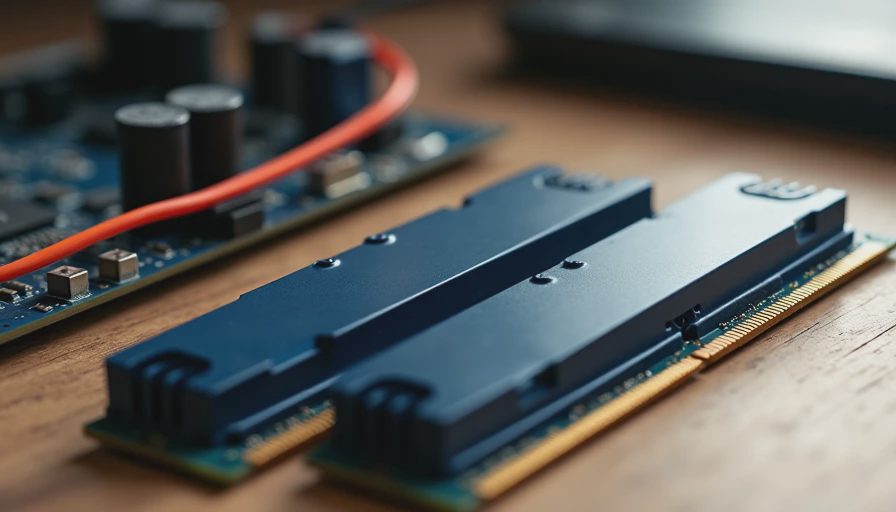
The Spec Sheet That Tries Too Hard
Open any memory product page and you will be hit with a wall of numbers: frequency, timings, voltage, RGB zones, heat-spreader material, profile names, and claims about “extreme performance.” For a family desktop or quiet home-office machine, most of that information is irrelevant.
After years of building and supporting real systems, I have learned that only a few RAM characteristics consistently affect how the computer feels day to day. The rest is either marketing or optimization for a use case most households never touch. This post is the filter I wish every buyer had before they spent money on memory.
The Specs That Actually Move the Needle
Capacity
This is the single most important number for almost every family and office build. Modern browsers, background apps, and light creative tools are hungry. Sixteen gigabytes is the practical minimum for a shared machine; thirty-two gigabytes is the comfortable recommendation that keeps the system from swapping and stuttering as tabs and programs accumulate. Moving from 16 GB to 32 GB produces a more noticeable daily improvement than almost any frequency jump.
Dual-channel configuration
Two sticks (or a matching kit) that run in dual-channel mode give the memory controller more bandwidth. A single stick of the same total capacity is a real performance penalty on modern platforms. Always prefer a matched pair.
Basic compatibility and stability
The kit needs to work cleanly at the platform’s standard speeds without requiring manual tuning. A board and CPU combination that boots and runs at the rated JEDEC or simple XMP/EXPO profile without drama is worth more than a higher-rated kit that needs hours of fiddling.
These three factors—enough capacity, dual-channel operation, and reliable out-of-the-box stability—determine most of the real-world experience.
The Specs You Can Usually Ignore
Ultra-high frequency numbers
The jump from a solid mainstream speed to the highest available bins produces diminishing returns for everyday work and light gaming. The difference is measurable in benchmarks; it is rarely noticeable when writing documents, browsing, or joining video calls. Spend the premium on more capacity instead.
Extremely tight timings
Low primary timings matter in synthetic tests and certain professional workloads. For a family machine they are almost never the limiting factor. A slightly looser, well-tested kit that runs cool and stable is the better daily companion.
RGB and elaborate heat spreaders
Lighting and heavy metal shells do not make the memory faster or more reliable in normal use. They do add cost, complexity, and another software suite that wants to run at startup. Unless you specifically want the look, skip them.
These three categories absorb a surprising amount of budget while delivering almost nothing for the workloads this site focuses on.
How Much Capacity Is Enough in 2026
For a typical household desktop:
16 GB works if the machine is lightly used and browser habits are disciplined.
32 GB is the sweet spot for shared family use, schoolwork, multiple tabs, and light multitasking.
64 GB is only worth considering for heavier creative work, large data sets, or specific professional tools.
I have upgraded more machines from 16 GB to 32 GB than from any other single change. The improvement in responsiveness under real mixed loads is consistent and immediately felt.
Practical Buying Rules I Follow
Decide capacity first. Get enough.
Buy a matched dual-channel kit.
Choose a mainstream speed that the motherboard supports easily.
Prefer kits with a reputation for stability over the absolute highest rated numbers.
Ignore RGB unless it is a deliberate aesthetic choice.
Leave a little budget for the power supply and cooling instead of chasing memory bragging rights.
Following those rules produces machines that stay responsive for years without requiring the owner to become a memory-tuning enthusiast.
What I Put in Real Builds
Almost every family desktop and home-office machine I currently build gets 32 GB in a simple dual-channel kit running at a widely supported speed. The memory disappears into the background, which is exactly the goal. Clients do not write to thank me for the timings. They write to say the computer still feels quick three years later when they have twenty browser tabs and a video call open at the same time.
That outcome is driven by capacity and stability, not by the highest number on the product page.
Final Garage Perspective
RAM marketing is designed to make you feel that more is always better and that the highest specifications are necessary. For the large majority of home and family machines, that simply is not true. Enough capacity in a dual-channel configuration, running stably at a normal speed, delivers the performance people actually notice.
Everything else is optional. Spend the difference on the parts that protect the system or improve daily comfort, then stop thinking about memory until the next build.
Build it once. Build it right. And buy the RAM that matches the way the computer will really be used.